
Deploy DoctorGPT Gen AI app in under 5 mins on Google Cloud
Standing up a production-ready generative AI service has gotten remarkably fast on managed cloud infrastructure, and this post shows just how fast. Building on the original article from Google Cloud, co-authored by a founding engineer of LangChain, we walk through the quickest path to deploy a doctor’s assistant that answers questions about possible differential diagnoses, ICD10, and CPT codes a physician might weigh given a patient’s particular set of chief complaints.
Model
We will leverage Google’s Vertex AI PaLM2 model for the chat model and provide this conversationally fine-tuned model with the right prompt to assist our doctor. A couple of things to note about this model are that its output is limited to 1024 tokens (source) and the use policy dictates that the end user must not use it to automate decisions in healthcare. Healthcare policy is still an evolving landscape and there is a line that can be navigated between augmenting practitioner intelligence versus fully automating the task.
Serve as an API
Set up Google Cloud Project
Set default project
gcloud config set project [PROJECT-ID]
Enable Vertex AI
gcloud services enable aiplatform.googleapis.com
Call PaLM LLM from localhost
gcloud auth application-default login
Set up LangChain
Install langchain CLI
pip install langchain-cli
The command below will create a production-ready API using LangServe. We will borrow the skeleton of the vertexai-chuck-norris package.
langchain app new my-demo --package vertexai-chuck-norris
The original chuck-norris package tells you a joke about Chuck Norris and anything else the user enters as a prompt. Instead of a joke, we will update the model to respond with relevant information to assist the doctor in diagnosing.
OLD:
_prompt = ChatPromptTemplate.from_template(

   "Tell me a joke about Chuck Norris and : {text}"

)
NEW:
_prompt = ChatPromptTemplate.from_template(

   "Tell me the DDx, ICD10, and CPT codes for the following chief complaint: {text}"

)
Local Testing
Change into the my-demo directory and deploy the app on localhost:
langchain serve

Deployment
Now we go from local deployment to deploying our application as an HTTPS endpoint on Cloud Run, a serverless engine that runs our Fast API endpoint with autoscaling. Follow the on-screen instructions and pick a name for your application. For this instance, we chose the name gptdoc.
gcloud run deploy
To test your application in the cloud you can issue the following command to get a similar response to what we received when we did our local testing. Be sure to replace https://gptdoc-fbpcgd5sua-uw.a.run.app/vertexai-ddx-icd10-cpt/invoke with your endpoint and alter the “text” field to anything else the doctor might be curious about.
curl -X 'POST' \
  'https://gptdoc-fbpcgd5sua-uw.a.run.app/vertexai-ddx-icd10-cpt/invoke' \
  -H 'accept: application/json' \
  -H 'Content-Type: application/json' \
  -d '{
  "input": {
    "text": "stomach pain with blood in stool"
  },
  "config": {},
  "kwargs": {}
}'

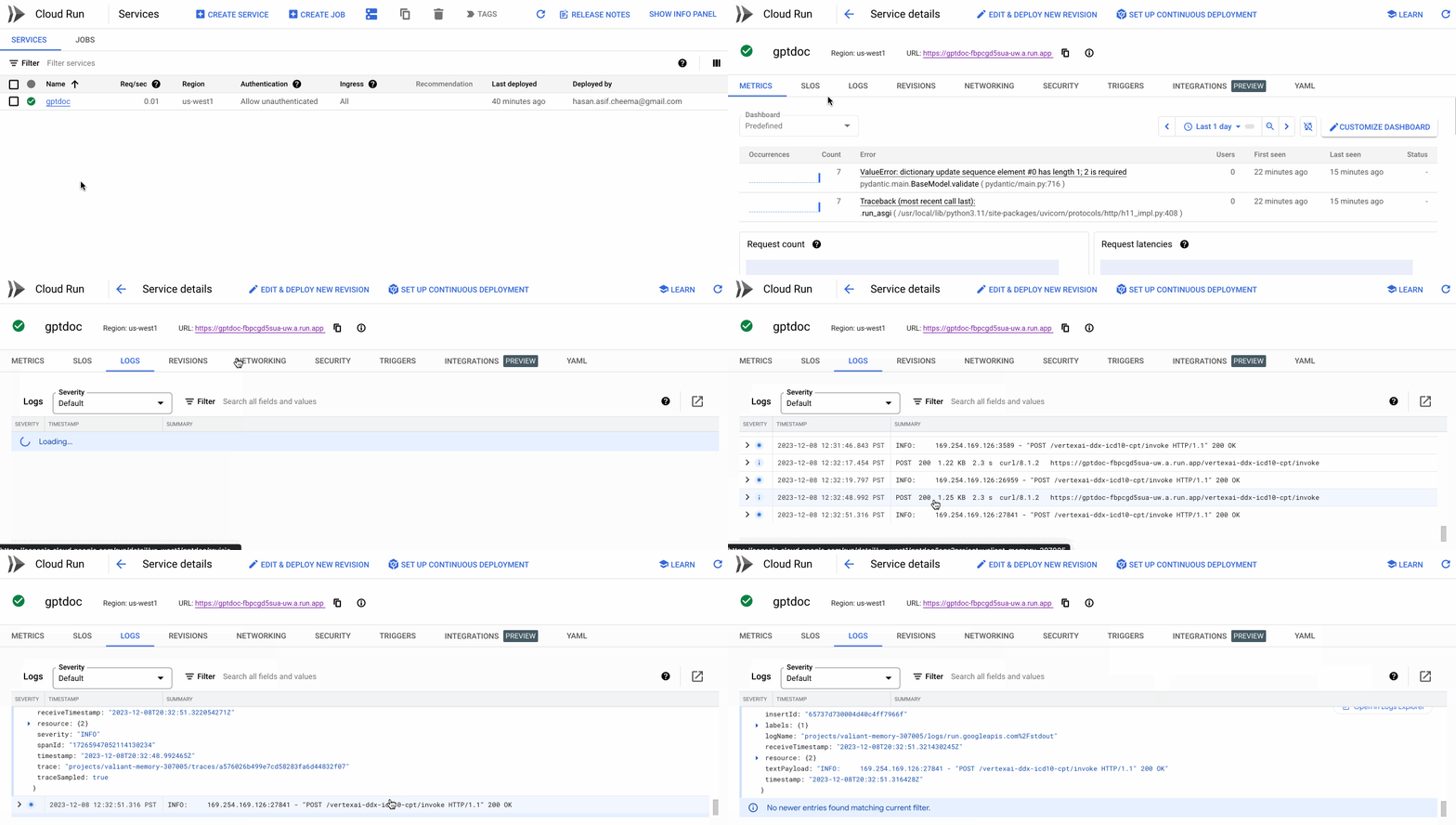
We can also check our container on Cloud Run to see the HTTP 200 status to confirm a successful response was generated from our service.
Next Steps
Create your own chain using langserve to easily deploy your use cases - chatbots, retrieval agents, etc. - in a scalable fashion.
Full code: Github